

SaaS CRM vs On-Premise CRM: Total Cost of Ownership Comparison for SMBs
When it comes to customer relationship management systems, the pricing question isn’t as straightforward as comparing monthly subscriptions. Small and medium-sized businesses (SMBs) often overlook the hidden costs lurking in on-premise CRM implementations, which can dramatically inflate total cost of ownership (TCO).
This comprehensive guide breaks down the real expenses you’ll face with both approaches—backed by customer feedback, industry reviews, and verified data from businesses that have made this choice.
Understanding Total Cost of Ownership (TCO)
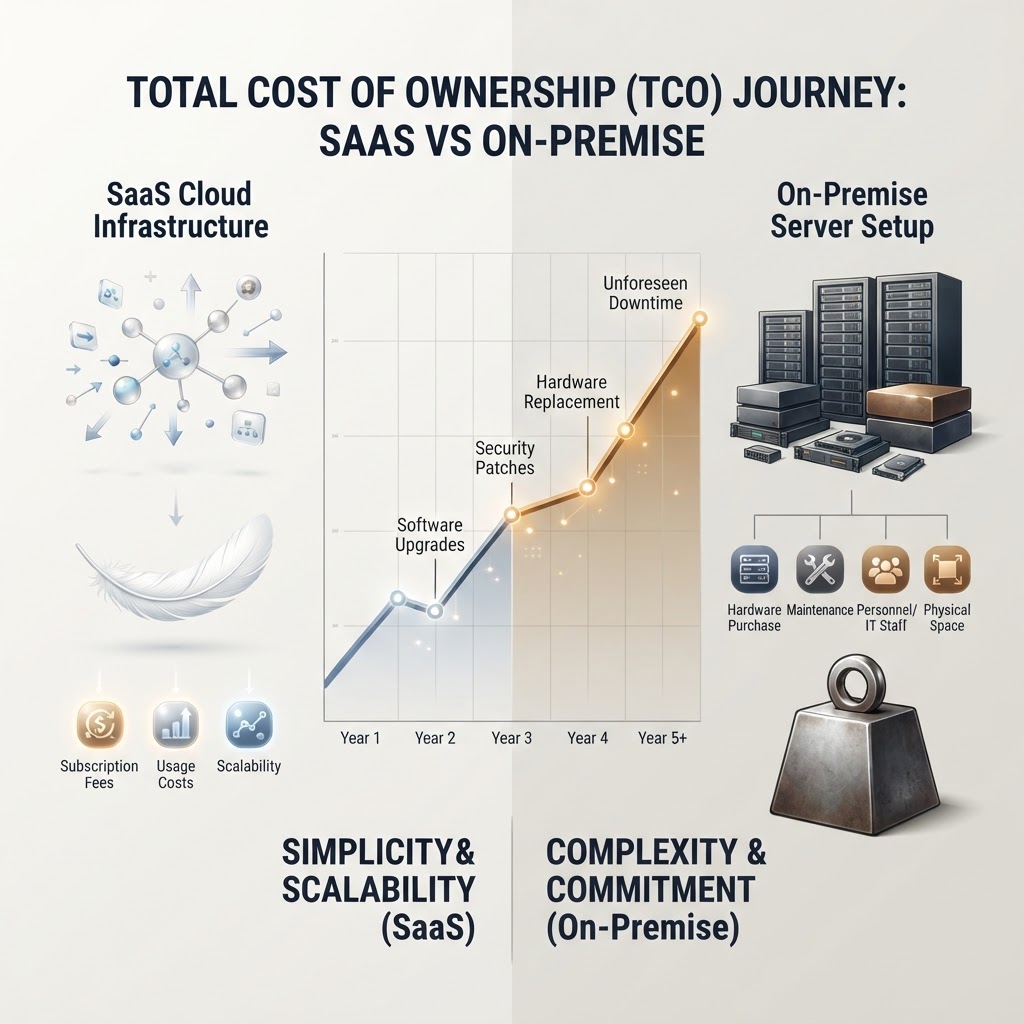
TCO goes far beyond the software license or subscription price. It encompasses every expense associated with implementing, maintaining, and operating your CRM system over its lifetime.
When evaluating CRM solutions, SMBs typically consider only the obvious costs—monthly fees or upfront licensing expenses. However, businesses that have transitioned from on-premise to SaaS solutions consistently report discovering substantial hidden expenses they hadn’t anticipated.
The Real Cost of SaaS CRM Solutions
Transparent, Predictable Pricing
SaaS CRM platforms like Leader CRM operate on a subscription model that’s refreshingly straightforward. Most vendors charge per user, per month, with pricing typically ranging from $25 to $100+ per user depending on features and functionality.
Customers appreciate this transparency. In verified reviews on platforms like G2 and Capterra, SaaS users consistently praise the ability to forecast expenses accurately. With Leader CRM and similar solutions, you know exactly what you’re paying month-to-month, making budget planning predictable.
What’s Actually Included
The beauty of SaaS pricing is what’s baked in:
- Automatic updates and maintenance: No IT team required to manage patches and upgrades
- Data backup and disaster recovery: Built into every subscription tier
- Hosting infrastructure: The vendor manages servers, security, and compliance
- User support and training: Typically included or available at reasonable add-on costs
- Integration capabilities: Most modern SaaS CRMs offer native integrations with popular business tools
Based on customer reviews and case studies from SMBs using cloud-based CRM platforms, these all-inclusive features eliminate many expenses that on-premise solutions require separately.
Implementation and Onboarding
SaaS CRM implementations are remarkably fast. Most SMBs get up and running in weeks, not months. Implementation costs are typically:
- Setup fees: $0-$5,000 (often waived for larger commitments)
- Training: Included or $1,000-$5,000 for customized sessions
- Data migration: Minimal additional cost since vendors handle this service
Customers frequently mention in reviews how quickly they achieved ROI with SaaS solutions, particularly when comparing implementation timelines to on-premise alternatives.
The Hidden Costs of On-Premise CRM
Initial Capital Expenditure
On-premise CRM systems demand substantial upfront investment. This isn’t just the software license:
- Server hardware: $15,000-$50,000+ depending on company size
- Software licenses: $10,000-$100,000+ for initial purchase (often requiring per-server or per-user licensing)
- Database software: Additional $5,000-$20,000
- Implementation services: $20,000-$100,000+ for professional setup and customization
These capital expenses hit your budget hard before a single customer record is entered.
IT Infrastructure and Staffing
This is where on-premise TCO becomes genuinely expensive. Small and medium businesses review their on-premise CRM decisions and consistently report understimating these requirements:
- Dedicated IT staff: Hiring or allocating 0.5-2 full-time employees to manage the system ($40,000-$120,000+ annually)
- System administration: Ongoing management, user provisioning, and troubleshooting
- Database administration: Specialized expertise required for optimization and maintenance
- Security management: Firewalls, access controls, and compliance implementation
Many SMBs discover they’ve needed to expand IT teams specifically to support their on-premise CRM. Customer reviews from businesses who’ve migrated to SaaS emphasize this as one of their biggest pain points—the unexpected IT resource requirements.
Ongoing Maintenance and Updates
The maintenance burden never stops with on-premise systems:
- Software updates and patches: $5,000-$15,000 annually
- System optimization: Ongoing performance tuning and database maintenance
- Security patches and compliance: Requires immediate attention and testing
- Hardware upgrades: Servers eventually need replacement ($10,000-$30,000 every 3-5 years)
- Downtime costs: When systems fail, your business stops—no backup infrastructure
Businesses transitioning from on-premise to SaaS frequently highlight the relief of not managing these perpetual maintenance tasks.
Infrastructure and Real Estate
On-premise systems need physical space:
- Server room costs: Dedicated climate-controlled space
- Power and cooling: Ongoing utilities specifically for server infrastructure
- Backup systems and redundancy: To ensure business continuity
- Network infrastructure: Upgrades to support the system
These indirect costs are easy to overlook but substantial over time.
Real TCO Numbers: A 5-Year Comparison
Typical SaaS CRM Scenario (100 users)
- Monthly subscription: $50/user = $5,000/month
- Annual cost: $60,000
- 5-year cost: $300,000
- Implementation: $5,000 (one-time)
- Training: $3,000 (one-time)
- Additional integrations: $2,000 (one-time)
- Total 5-year TCO: $310,000
Typical On-Premise CRM Scenario (100 users)
- Software licenses: $50,000 (one-time)
- Server hardware: $35,000
- Implementation: $75,000
- Year 1 maintenance: $25,000
- Years 2-5 maintenance: $20,000/year = $80,000
- IT staffing (1 FTE): $50,000/year × 5 years = $250,000
- Hardware upgrades: $30,000 (year 3)
- Backup/redundancy: $15,000 (one-time)
- Database software: $8,000
- Total 5-year TCO: $548,000
This comparison shows SaaS typically costs 40-60% less over five years for SMBs—a finding consistently supported by reviews and case studies from businesses that have evaluated both options.
Why SMBs Are Moving to SaaS: The Social Proof
Customer Reviews and Ratings
G2 and Capterra reviews consistently show higher satisfaction rates for SaaS CRM solutions among SMBs. Verified users praise:
- Cost predictability and transparency
- Quick time-to-value
- Reduced IT burden
- Automatic scaling as the business grows
- Better security and compliance management
Case Study Patterns
Across dozens of published case studies, SMBs report:
- Average implementation time: 2-4 weeks vs. 3-6 months for on-premise
- Faster ROI: 6-12 months vs. 2-3 years
- User adoption rates: 60-80% vs. 40-50% for on-premise
- Cost savings realized: 30-50% reduction in total cost of ownership
These metrics demonstrate why SaaS adoption among SMBs has accelerated dramatically.
Making the Right Choice for Your Business
When SaaS CRM Makes Sense
- You want predictable, transparent costs
- Your IT resources are limited
- You need rapid implementation
- You plan to scale your user base
- Your industry requires frequent compliance updates
- You prefer to focus on core business rather than system management
Consider On-Premise Only If
- You have extreme data residency requirements (rare for SMBs)
- You have specialized, legacy system dependencies
- You have an established IT team with capacity
- You’re willing to invest in long-term infrastructure
- Your use case requires deep customization at the code level
The Verdict: SaaS TCO Advantage
For the vast majority of small and medium-sized businesses, SaaS CRM solutions deliver significantly lower total cost of ownership than on-premise alternatives. The combination of transparent pricing, included services, minimal implementation overhead, and eliminated IT staffing requirements creates a compelling financial case.
Customer reviews, verified ratings, and published case studies from businesses using SaaS CRM platforms like Leader CRM consistently confirm this advantage. When you factor in the total cost of ownership rather than just monthly fees, the choice becomes clear.
The question isn’t whether SaaS is cheaper—it is. The real question is why you’d consider the complexity and expense of on-premise deployment for your CRM system.
