

Leader vs. Zoho: A Comprehensive Zoho Competitor Analysis
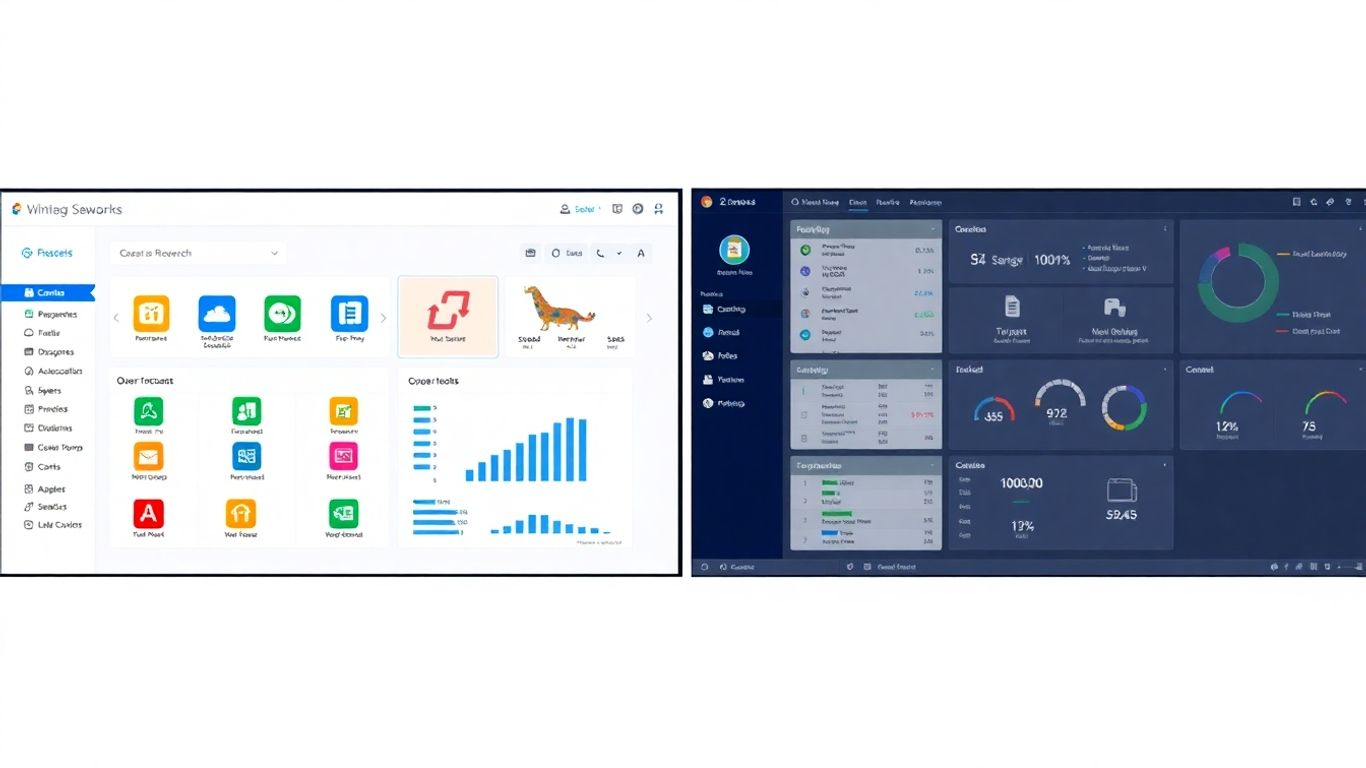
Understanding the SMB Landscape
Small and medium-sized businesses (SMBs) are the backbone of many economies. They often operate with leaner teams and tighter budgets compared to large enterprises. This means that the tools they choose need to be efficient, cost-effective, and easy to manage. SMBs are looking for solutions that can help them compete, grow, and serve their customers better without requiring a dedicated IT department to run them. The market is full of options, but not all are built with the specific needs of smaller businesses in mind. Many solutions are either too complex, too expensive, or lack the specific features that SMBs need to thrive.
Key Differentiators for SMBs
When SMBs look at software, they’re not just looking at a list of features. They’re thinking about how it fits into their daily operations. Ease of use is often a top priority. If a tool is hard to learn or operate, it takes time away from core business activities. Scalability is another big one; a solution needs to grow with the business. What works for a team of five might not work for a team of fifty. Finally, cost is always a factor. SMBs need to see a clear return on investment and predictable pricing.
Evaluating Core Functionality
At its heart, any business software needs to perform its basic functions well. For SMBs, this often means CRM, sales tracking, project management, and customer communication. We need to look at how well each platform handles these core tasks. Are the sales pipelines intuitive? Can projects be tracked easily from start to finish? How does the system help manage customer interactions?
| Feature Area | Leader (Example) | Zoho (Example) |
|---|---|---|
| CRM | Integrated, user-friendly contact management | Broad suite, can be complex for some SMBs |
| Sales Tools | Streamlined deal tracking and forecasting | Extensive features, requires configuration |
| Project Management | Task assignment, progress tracking | Robust, with multiple modules |
| Assistenza clienti | Centralized communication logs | Integrated help desk and ticketing |
| Facilità d'uso | Generally considered more intuitive for SMBs | Can have a steeper learning curve for some users |
When evaluating software, SMBs often prioritize solutions that offer a clear path to adoption and immediate productivity gains. Overly complex systems can lead to underutilization and frustration, negating potential benefits.
Pros and Cons:
Leader:
- Pro:
- Often praised for its straightforward interface.
- Designed with SMB needs in mind.
- Good integration between core modules.
- Contro:
- May have fewer niche features compared to larger suites.
- Customization options might be more limited.
Zoho:
- Pro:
- Vast array of integrated applications.
- Highly customizable.
- Can be very cost-effective if using multiple Zoho apps.
- Contro:
- Can feel overwhelming due to the sheer number of options.
- Steeper learning curve for users new to the Zoho ecosystem.
- Pricing can become complex with many add-ons.
Call to Action:
Ready to see how Leader stacks up for your business? Explore our features and discover a solution built for SMB growth. Learn More About Leader
Why Leader Emerges as a Preferred Zoho Competitor

Streamlined User Experience
When small and medium-sized businesses (SMBs) look for software to manage their operations, they often want something that just works. They don’t have huge IT departments, so complicated systems can be a real headache. Leader seems to get this. Many users report that Leader is easier to pick up and use day-to-day compared to Zoho. This isn’t just about looking pretty; it means less time spent training staff and more time actually getting work done. Think about it: if your team can figure out how to log a lead or track a project without a week-long seminar, that’s a big win for productivity and morale.
Zoho, on the other hand, is known for its vast suite of applications. While this offers a lot of power, it can also feel overwhelming. Imagine walking into a massive department store versus a well-organized boutique. For many SMBs, the boutique approach of Leader, where things are more focused and intuitive, is a better fit for their immediate needs.
Scalability and Flexibility
Businesses change, especially smaller ones. What works today might not work in a year or two. SMBs need tools that can grow with them. Leader is often seen as more adaptable in this regard. You can start with what you need and add more as your business expands, without a complete overhaul. This flexibility means you’re not locked into a system that becomes too small or too complex too quickly.
Zoho also offers scalability, but sometimes the transition between different Zoho products or plans can be more involved. Leader’s approach often feels more like adding building blocks – you add what you need, when you need it, and it fits together smoothly. This is particularly helpful for businesses that experience rapid growth or have fluctuating needs.
Cost-Effectiveness for Growth
Let’s be honest, budget is a major factor for SMBs. They need solutions that provide good value without breaking the bank. Leader often presents a more straightforward and predictable pricing structure. This transparency helps businesses budget effectively and avoid unexpected costs as they grow. While Zoho has many pricing tiers, understanding which one is best and how it scales can sometimes be confusing, potentially leading to overspending or underutilization.
Leader’s focus on providing core functionalities in a cost-effective package means SMBs can invest in a tool that supports their growth without a massive upfront financial commitment. This allows them to allocate resources to other critical areas of their business, like marketing or product development.
Feature Set Comparison: Leader’s Strengths Against Zoho
When SMBs look at software to help run their business, they often compare options side-by-side. Leader and Zoho both offer a range of tools, but they approach things a bit differently. For small to medium businesses, understanding these differences is key to picking the right fit. Leader often stands out because its features are designed to work together smoothly, making daily operations less complicated.
Integrated CRM and Sales Tools
Leader brings its customer relationship management (CRM) and sales tools into one place. This means your sales team can track leads, manage contacts, and see deal progress without jumping between different apps. It’s built to give a clear view of the sales pipeline.
Zoho also has a CRM, but it’s part of a much larger suite of products. While this offers a lot of options, it can sometimes feel like you’re managing many separate tools that are only loosely connected. For a business that wants a straightforward sales process, Leader’s integrated approach can be more practical.
| Caratteristica | Leader | Zoho CRM |
|---|---|---|
| Core Focus | Integrated sales & customer management | Part of a broad business application suite |
| User Interface | Streamlined, focused on sales workflow | Can be complex due to breadth of features |
| Integration | Built-in, works across Leader modules | Integrates with other Zoho apps, third-party |
Project Management Capabilities
Managing projects is another area where businesses need solid tools. Leader includes project management features that connect directly with your sales and customer data. This helps teams stay organized, track tasks, and meet deadlines, all within the same system where they manage client interactions.
Zoho offers project management through Zoho Projects, which is a separate application. While powerful, it requires separate setup and management. For businesses that want project tracking to be a natural extension of their sales and service activities, Leader’s built-in capability can save time and reduce complexity.
- Task assignment and tracking
- Timeline and progress visualization
- Team collaboration tools
Customer Support and Engagement
Keeping customers happy is vital. Leader provides tools to manage customer support tickets and communications. This allows businesses to respond to inquiries quickly and keep a record of customer interactions, helping to build stronger relationships.
Zoho offers customer support solutions, often through Zoho Desk. Like its other products, it’s a robust option but might require more effort to integrate fully with sales and project management if you’re not using the entire Zoho ecosystem. Leader aims to make this process simpler by keeping support functions closely tied to customer records.
For many SMBs, the goal isn’t just to have a lot of features, but to have features that work together without a lot of fuss. This makes daily work smoother and helps teams focus on what matters most: serving customers and growing the business.
Pros and Cons:
Leader:
- Pro: Integrated features, simpler user experience for sales and support, good for businesses wanting a unified system.
- Contro: May have fewer niche features compared to a large suite like Zoho.
Zoho:
- Pro: Extremely broad range of applications, highly customizable, suitable for businesses needing many specialized tools.
- Contro: Can be complex to set up and manage, potential for feature overload, integration between modules might require extra work.
Call to Action:
Ready to see how Leader’s integrated approach can simplify your business operations? Learn more about Leader’s features or request a personalized demo today.
Implementation and Onboarding: A Smoother Path with Leader
Ease of Setup and Integration
Getting new software up and running can feel like a big hurdle, especially for small to medium-sized businesses (SMBs) that don’t have dedicated IT teams. Leader really tries to make this part as painless as possible. The setup process is designed to be straightforward, often requiring minimal technical know-how. Unlike some competitors that might need extensive configuration or specialized personnel, Leader focuses on getting you started quickly. Integration with existing tools is also a key consideration. Leader aims to connect with the software you already use, reducing the need to overhaul your entire digital infrastructure. This means less disruption and more time spent actually using the system to grow your business.
Training and Support Resources
Once Leader is set up, the next step is making sure your team knows how to use it effectively. Leader provides a range of resources to help with this. They offer documentation, tutorials, and sometimes even live training sessions. The goal is to get your team comfortable with the platform so they can take full advantage of its features. This contrasts with some platforms where you might be left to figure things out on your own, or where support is costly and slow to respond. Having accessible training materials means your team can learn at their own pace and get answers when they need them.
Minimizing Disruption for Businesses
For any business, introducing new software means a period of adjustment. Leader understands this and works to minimize the impact on your daily operations. The user-friendly interface means less time spent on learning curves and more time on core business tasks. Quick setup and readily available support help prevent significant downtime or productivity dips. The aim is for Leader to feel like a natural extension of your workflow, rather than a complicated new system to manage. This focus on a smooth transition is a big reason why SMBs find Leader a more practical choice compared to more complex alternatives.
Leader vs. Zoho: Implementation Comparison
| Caratteristica | Leader | Zoho (General Perception) |
|---|---|---|
| Setup Complexity | Generally straightforward, minimal tech skill | Can be complex, especially with multiple apps |
| Integration | Designed for common integrations | Wide range, but can require setup effort |
| Training Resources | Accessible tutorials and documentation | Extensive, but can be overwhelming |
| Onboarding Time | Aimed at quick adoption | Varies greatly by app and setup |
Pros and Cons of Leader’s Implementation
Pro:
- Quick and easy setup process.
- Designed for minimal technical expertise.
- Focus on integrating with existing tools.
- Accessible training materials for user adoption.
- Aims to reduce operational disruption.
Contro:
- Integration options might be less extensive than highly specialized platforms.
- Advanced customization might require more effort.
The transition to new software can be a significant undertaking for any SMB. Leader’s approach prioritizes simplicity and speed, aiming to get businesses operational with the new system with as little friction as possible. This focus on user experience from day one is a key factor in its appeal.
Ready to experience a smoother implementation? Learn more about Leader’s onboarding process and see how easy it can be to get started.
Long-Term Value Proposition: Leader as a Strategic Zoho Competitor
Adaptability to Evolving Business Needs
Businesses today aren’t static. They grow, they change, and their software needs to keep up. Leader is built with this in mind. Its modular design means you can add or remove features as your company evolves, without needing a complete system overhaul. This flexibility is a big deal when you’re looking at the long haul. Zoho, while feature-rich, can sometimes feel like a monolithic structure. Adapting it to new business directions might involve more complex configurations or even migrating to different modules, which can be time-consuming and costly.
Return on Investment Analysis
When we talk about long-term value, we’re really talking about ROI. Leader’s focus on a streamlined user experience and integrated core functions means less time spent on training and more time on actual work. This translates directly into productivity gains. Furthermore, its transparent pricing, which we’ll touch on more later, helps businesses predict and manage costs effectively. This predictability is key for budgeting and financial planning, allowing SMBs to see a clearer path to profitability.
Building Sustainable Business Growth
Ultimately, the goal for any SMB is sustainable growth. Leader aims to be a partner in that journey. By providing a platform that grows with the business, supports efficient operations, and offers predictable costs, it helps lay a solid foundation. This allows businesses to focus their resources on strategic initiatives rather than getting bogged down in software management. It’s about having a tool that supports your ambitions, not hinders them.
| Feature Area | Leader’s Approach | Zoho’s Approach |
|---|---|---|
| Adaptability | Modular, feature-rich, easy to scale up/down | Can be complex to reconfigure, often module-specific |
| Cost Predictability | Transparent pricing, focus on core needs | Tiered pricing, can increase with add-ons |
| Long-Term Focus | Designed for growth and evolving needs | Can require significant investment to adapt to major shifts |
Pro e contro
Leader:
- Pro: High adaptability, predictable costs, focus on core SMB needs, simpler integration.
- Contro: May have fewer niche features compared to Zoho’s vast ecosystem.
Zoho:
- Pro: Extremely broad suite of applications, extensive customization options.
- Contro: Can be complex to manage, potential for hidden costs, steeper learning curve.
Choosing a business software solution is a significant decision. It’s not just about what a system can do today, but how it will support your company’s trajectory for years to come. A platform that adapts, remains cost-effective, and simplifies operations offers a more sustainable path to growth.
Call to Action: Ready to see how Leader can support your business’s long-term goals? Explore our solutions and request a personalized demo today.
Assessing the Total Cost of Ownership
When looking at business software, it’s easy to get caught up in the sticker price. But the real cost of a system like Leader or Zoho goes way beyond the monthly subscription. We need to think about the total cost of ownership (TCO) to truly understand which platform offers better long-term financial sense for your small business.
Transparent Pricing Models
Leader generally offers straightforward pricing. You pay for what you need, and the features are usually bundled in a way that makes sense for growing businesses. They tend to avoid a lot of complex tiers that can leave you guessing about what’s included.
Zoho, on the other hand, has a vast suite of products. While this can be a strength, it also means their pricing can get complicated. You might need several different Zoho apps to get the functionality you’re looking for, and each might have its own pricing structure. This can make it harder to predict your total monthly spend.
Here’s a simplified look at how pricing might compare, based on general knowledge of their structures:
| Feature Category | Leader (Example) | Zoho (Example) |
|---|---|---|
| Core CRM | Included in base plan | Varies by Zoho CRM edition |
| Sales Automation | Tiered add-on or included in higher plans | Varies by Zoho CRM edition |
| Project Management | Included in specific plans | Separate Zoho Projects subscription |
| Customer Support Tools | Included in specific plans | Separate Zoho Desk subscription |
Note: This table is illustrative. Actual pricing depends on specific plans and features chosen.
Hidden Costs to Consider
Beyond the subscription fees, there are other costs that can add up. Think about implementation time – how long will it take your team to get up and running? Training is another big one. If a system is hard to learn, you’ll spend more on training resources or lose productivity.
Integration costs are also important. If Leader or Zoho doesn’t play nicely with your existing software, you might need custom integrations, which can be expensive. Leader often emphasizes its ease of integration, which can help keep these costs down.
Zoho’s extensive product range can sometimes lead to unexpected costs if you’re not careful. You might sign up for one product, only to find you need another to make it work effectively, leading to multiple subscriptions.
Maximizing Budget Allocation
Ultimately, the goal is to get the most value for your money. Leader’s approach often focuses on providing a core set of integrated tools that work well together from the start. This can mean fewer separate purchases and less time spent trying to connect different systems.
When evaluating TCO, ask yourself:
- How much time will my team spend learning this system?
- What are the costs associated with integrating it with our current tools?
- Will I need to buy additional modules or separate products to achieve full functionality?
- What is the ongoing support cost, and is it included or extra?
Choosing a platform with a clear pricing structure and fewer hidden fees can significantly impact your budget over time. It’s not just about the initial price tag, but the sustained cost of using and maintaining the software as your business grows.
Call to Action: Ready to see how Leader’s transparent pricing can benefit your business? Request a personalized demo today and get a clear picture of your potential TCO.
Thinking about buying something new? Don’t just look at the price tag! You need to consider all the costs that come with it over time. This includes things like repairs, energy use, and even how much it’s worth later. Want to learn how to figure out the real cost? Visit our website today for a simple guide!
Domande frequenti
What is Leader and how is it different from Zoho?
Leader is a business tool designed to help small and medium-sized businesses (SMBs) manage their work. Think of it as a way to keep track of customers, projects, and sales all in one place. It’s often seen as a simpler, more focused alternative to Zoho, which is a much bigger suite of many different business apps.
Why would a small business choose Leader over Zoho?
Many small businesses like Leader because it’s easier to learn and use. Zoho has a lot of features, which can be overwhelming. Leader focuses on the most important things SMBs need, like managing customer relationships and projects, without all the extra complexity. It’s also often more affordable as a business grows.
Does Leader have the same tools as Zoho for sales and projects?
Leader has core tools for managing sales leads and tracking projects. While Zoho offers a vast array of specialized tools, Leader provides a well-integrated set of features that cover the essential needs for most growing businesses. It aims to be effective without being overly complicated.
Is it hard to set up Leader for my business?
Setting up Leader is generally straightforward. Businesses often find it quicker and less confusing to get started with Leader compared to the extensive setup that might be needed for Zoho. Leader also provides helpful resources to get your team up and running smoothly.
Is Leader a good long-term choice for a growing business?
Yes, Leader is designed to grow with your business. It’s built to be flexible, meaning it can adapt as your needs change. This makes it a solid choice for the long haul, helping you manage your business effectively without needing to constantly switch tools.
What about the cost? Is Leader cheaper than Zoho?
Leader often presents a more budget-friendly option, especially for businesses that don’t need every single feature Zoho offers. Its pricing is usually clearer, making it easier to understand what you’re paying for and how it fits into your budget as your business expands.
