

Índice
- Why automate sales reminders is Essential for Growth
- LEADer CRM - Seu assistente pessoal digital
- Caso de uso no mundo real
- Principais vantagens do LEADer
- Key questions about automate sales reminders
- Comece hoje
Why automate sales reminders is Essential for Growth
Automating Sales Reminders: In today’s fast-paced business environment, staying organized and maintaining consistent communication with prospects is paramount. For small and medium-sized businesses, the ability to automate sales reminders is not just a convenience; it’s a critical driver of growth. Manually tracking follow-ups across emails, calls, and meetings is inefficient and prone to human error, leading to missed opportunities and lost revenue. By implementing an automated system, you ensure that no lead falls through the cracks, every conversation is timely, and your sales team can focus on what they do best: building relationships and closing deals. This strategic automation improves follow-up consistency, boosts sales productivity, and ultimately creates a more professional and reliable brand image.

LEADer CRM - Seu assistente pessoal digital
LEADer CRM acts as a central hub for all your sales activities, functioning like a digital personal assistant that never forgets a task. It is designed to streamline your workflow by automating crucial, repetitive tasks. The platform automatically logs your calls and helps you schedule follow-up reminders with just a few clicks, ensuring you always stay on top of your communication schedule. You can generate professionally branded quotes instantly, moving prospects through the sales funnel faster. Beyond reminders, LEADer provides robust tools for managing your entire sales process, from task management and visual pipelines to comprehensive lead organization. This holistic approach ensures all your sales data and activities are in one place, easily accessible and manageable. The system’s intelligence extends to its smart caller ID, which surfaces a lead’s notes and history when they call, enabling personalized, context-aware conversations. For broader outreach, you can run targeted email and SMS campaigns directly from the platform. LEADer also gathers valuable insights on your leads, including information from WhatsApp, social profiles, and their educational background, all compiled into a clear communication timeline. With native apps for iOS, Android, and the Web, your team can stay productive from anywhere. Available in over 20 languages and offering a no-risk 30-day free trial without a credit card, LEADer is an accessible and powerful tool for any growing business.
Caso de uso no mundo real
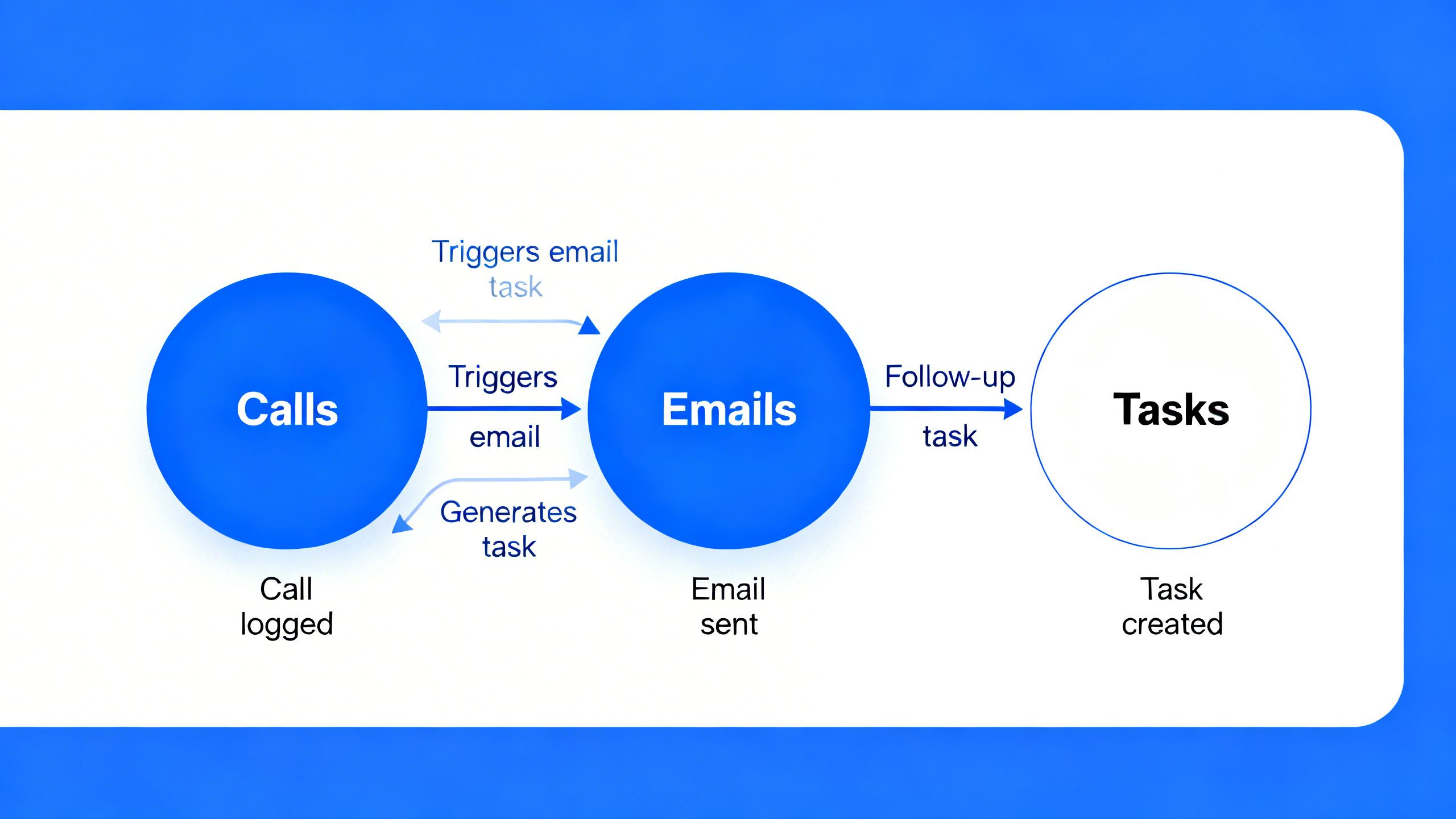
A small consulting firm was struggling to manage its growing client base. The team’s lead consultant, Sarah, found herself spending hours each week manually updating spreadsheets and setting calendar alerts to follow up with potential clients. Important opportunities were being missed due to simple forgetfulness. After implementing LEADer CRM, her workflow was transformed. Now, after every client call, LEADer automatically prompts her to set a follow-up task. When she sends a branded quote through the system, she configures a reminder to automatically trigger in three days if the client hasn’t responded. This simple automation freed up hours of administrative work each week, allowing Sarah to focus on delivering value to her clients. Her follow-up rate improved dramatically, and because her communication was so consistent and professional, her deal-closing rate increased significantly. The visual pipeline gave her a clear overview of all ongoing deals, and the shared team access meant her colleagues could step in and handle communications if she was unavailable. LEADer didn’t just organize her tasks; it provided the structure she needed to scale her business effectively.

Principais vantagens do LEADer
LEADer CRM is built from the ground up to provide tangible advantages for sales professionals. It centralizes client communication, automates tedious tasks, and delivers actionable insights that drive smarter sales strategies. The platform’s integrated nature means that every feature works in harmony, from lead capture to final sale, creating a seamless and efficient process. This eliminates the need for multiple, disconnected tools, saving both time and money while reducing the risk of data silos. The focus is on practical, real-world applications that directly impact your bottom line.
How Automating Sales Reminders Works Inside LEADer CRM
LEADer CRM provides a sophisticated yet intuitive framework to automate sales reminders. The system is built around a full lead management and visual pipeline, allowing you to set up automated reminder triggers as a lead moves through each stage. For example, a reminder can be automatically created two days after a lead enters the “Proposal Sent” stage. You can use smart business domain tags to categorize leads and apply specific reminder sequences tailored to their industry or interest level. When you send branded proposals, the system tracks their status and reminds you to follow up if a proposal hasn’t been opened. All these reminders are centralized in your task management dashboard, giving you a clear view of your daily priorities. Furthermore, LEADer’s LeadSense AI uses call analysis and engagement data to score leads, intelligently suggesting the optimal time to follow up. As noted in a Harvard Business Review article, timely and relevant follow-ups are key, and LEADer’s AI-powered insights help you achieve just that, ensuring your reminders are not just automated but also smart.

Key questions about automating sales reminders
How can I customize sales reminders for different lead types?
In LEADer CRM, you can easily customize reminders using a combination of pipeline stages and tags. For high-value leads, you might set more frequent, personalized follow-up reminders. For leads from a specific marketing campaign, you can apply a unique tag that triggers a tailored sequence of email and call reminders, ensuring your follow-up is always relevant to their journey.
What is the advantage of using a CRM to automate sales reminders over a basic calendar?
A basic calendar can tell you when to follow up, but a CRM tells you why and how. LEADer CRM provides the full context for every reminder, including past call logs, email exchanges, proposal status, and AI-driven lead scores. This allows you to have a much more informed and effective conversation, turning a simple reminder into a powerful sales opportunity.
Can LEADer remind me to follow up across different communication channels?
Yes, absolutely. LEADer’s task management system is channel-agnostic. You can create reminders to make a call, send a personalized email, or dispatch an SMS message. Since these communication tools are integrated within LEADer, you can execute the task directly from the reminder, streamlining your workflow and ensuring you engage with leads on the channel that is most effective for them.
Comece hoje
Pronto para transformar seu processo de vendas e nunca perder um lead?
