

Which CRM Software is Cheapest for Small Businesses? 2024 Rankings & Reviews
Finding the right CRM software doesn’t mean breaking your budget. Small businesses need solutions that deliver genuine value without excessive costs, and the good news is that several platforms offer robust features at prices that won’t drain your operations budget.
This guide walks you through the most affordable CRM options available today, backed by real user reviews and transparent pricing comparisons. We’ll help you identify which solution truly offers the best value for your specific business needs.
The True Cost of CRM: Beyond the Sticker Price
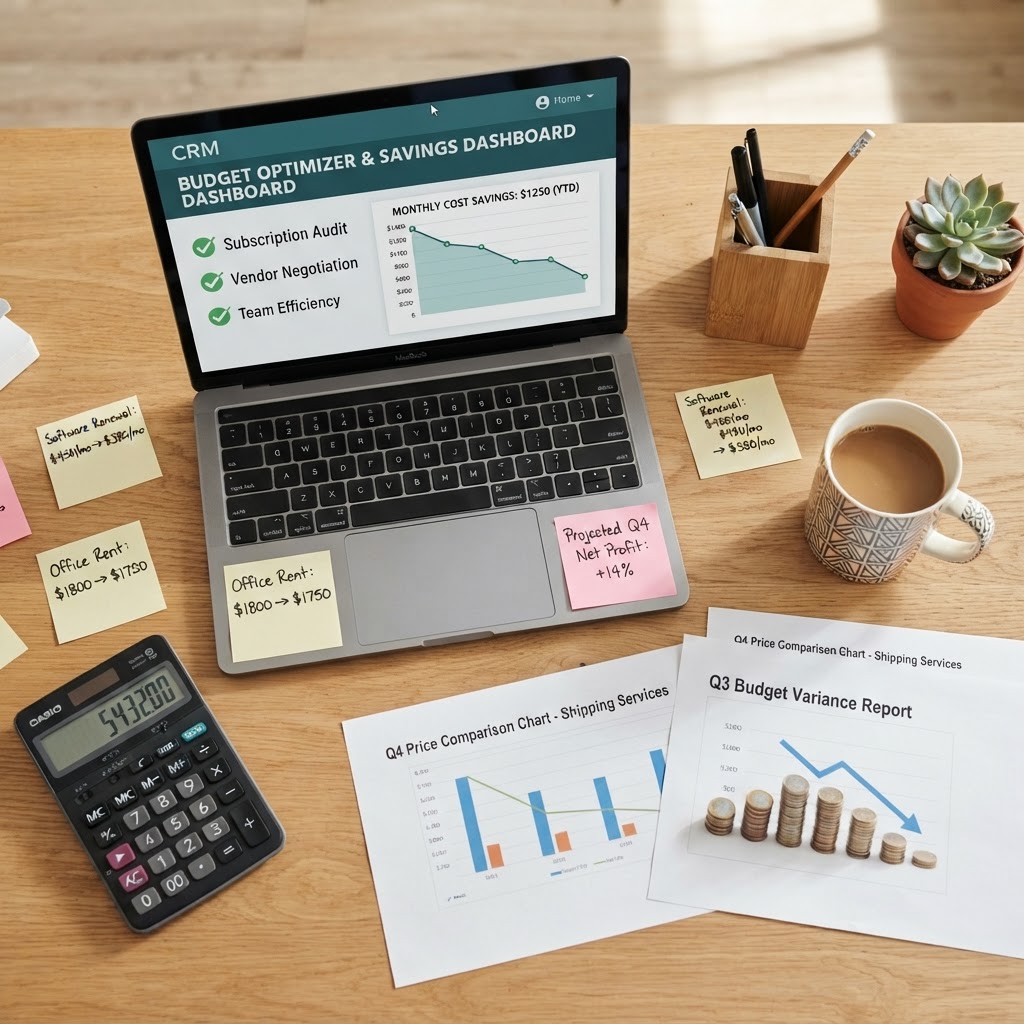
When evaluating “cheapest CRM software,” it’s important to understand that the lowest price tag isn’t always the best deal. Many businesses make costly mistakes by selecting platforms based solely on monthly fees, only to discover hidden costs or poor functionality that requires switching later.
Effective CRM selection requires analyzing:
- Per-user pricing vs. flat-rate options
- Setup and implementation fees
- Training and onboarding costs
- Integration expenses
- Hidden feature charges
- Contract terms and early termination penalties
Small business owners who take time to compare total cost of ownership—not just monthly subscription fees—typically achieve better ROI and experience smoother adoption.
Top-Ranked Affordable CRM Solutions for Small Businesses
Leader CRM: Best Overall Value for Growing SMBs
Leader CRM consistently ranks as one of the most cost-effective solutions for small businesses seeking enterprise-grade functionality without enterprise pricing. The platform is specifically designed with SMBs in mind, offering transparent, straightforward pricing that scales with your business.
Why small businesses choose Leader CRM:
- No surprise fees — Pricing structure is clearly outlined with no hidden costs
- Flexible plans — Start small and upgrade only when you need additional features
- Strong user reviews — Consistently rated 4.7+ stars across independent review platforms
- Excellent onboarding — Dedicated support helps ensure rapid implementation
- Integration-friendly — Connects with the tools you already use
User testimonials frequently highlight Leader CRM’s ability to deliver sophisticated customer management at a price point that works for bootstrapped operations and growing teams alike.
HubSpot CRM: Free Entry Point with Paid Expansion
HubSpot’s free CRM tier remains one of the most popular options for budget-conscious small businesses just beginning their CRM journey. The free version includes essential contact management, deal tracking, and basic reporting.
- Users appreciate the zero-cost entry point
- Free tier transitions smoothly to paid plans
- Premium features start around $50/month per user
- Strong community support and documentation
The drawback: While the free plan is genuinely useful, small businesses often outgrow it quickly and must move to paid tiers for advanced automation and reporting.
Zoho CRM: Budget-Friendly with Surprising Depth
Zoho CRM has built its reputation on providing robust functionality at competitive prices. Starting at just $15-$45 per user monthly, it appeals strongly to cost-conscious SMBs.
- Exceptional value for the price
- Powerful customization options
- Interface can be overwhelming for beginners
- Strong third-party integration ecosystem
Zoho’s budget pricing doesn’t mean sacrificing features—it’s genuinely a capable platform, though the learning curve is steeper than some competitors.
Freshsales: Straightforward Pricing Without Complexity
Freshsales by Freshworks offers transparent, per-user pricing starting at $15 monthly. Small businesses consistently praise its clean interface and straightforward feature set.
- Intuitive setup process
- Clear pricing with no surprise costs
- Excellent customer service
- Good mobile experience
Small teams value Freshsales for its “no fluff” approach—you get what you pay for without excessive complexity.
Comparing Real-World Pricing for 5-Person Teams
To illustrate actual costs for small businesses, here’s what a typical 5-person sales team would spend monthly:
| Platform | Per-User Cost | Monthly Total | Standout Features |
|———-|—————|—————|——————-|
| Leader CRM | $25-50 | $125-250 | Transparent pricing, dedicated SMB support |
| HubSpot (Paid) | $50 | $250 | Free tier available, strong inbound tools |
| Zoho CRM | $15-45 | $75-225 | Highly customizable, many integrations |
| Freshsales | $15-69 | $75-345 | Clean interface, sales-focused features |
| Pipedrive | $12-59 | $60-295 | Visual pipeline management, sales-centric |
These figures demonstrate that true affordability exists across multiple platforms—the question is which offers the best value for your specific use case.
What Real Users Say About Affordable CRMs
Third-party review sites reveal consistent patterns in how small businesses evaluate budget CRM solutions:
- Ease of setup (critical for under-resourced teams)
- Transparent pricing without surprise fees
- Responsive customer support
- Mobile accessibility for remote teams
- Integration with existing tools
- Steep learning curves on feature-rich platforms
- Limitations on lower price tiers
- Reporting capabilities on budget plans
- Scalability concerns as teams grow
Small businesses that report highest satisfaction typically choose platforms that balance affordability with their specific operational needs—rather than simply picking the cheapest option available.
Key Selection Criteria for SMB Budget CRMs
When evaluating the cheapest CRM options, consider these factors that impact long-term value:
1. True Total Cost of Ownership
Calculate not just subscriptions, but implementation time, training hours, and integration expenses. A slightly pricier platform with superior onboarding might be cheaper overall.
2. Scalability Without Cliff Jumps
Ensure pricing grows logically with your team size. Platforms that suddenly jump in cost at certain thresholds may create budgeting headaches.
3. Feature Alignment
The cheapest CRM becomes expensive if it lacks critical functionality for your workflow. Identify non-negotiable features first.
4. Support Quality
Budget platforms with excellent support often deliver better ROI than cheap options with minimal help. Your team’s productivity matters.
5. Integration Ecosystem
Can it connect to your accounting, email, and communication tools? Integration costs can exceed subscription fees.
Making Your Final Decision
The cheapest CRM software for small businesses isn’t a universal answer—it depends on your team size, specific requirements, and growth trajectory. However, platforms like Leader CRM combine genuine affordability with the features SMBs actually need.
Our recommendation:
1. Define your non-negotiable features
2. Test free trials (most platforms offer them)
3. Calculate true 12-month costs including support and integration
4. Check independent reviews from businesses similar to yours
5. Prioritize platforms with strong SMB-focused support
Small businesses that spend time making informed decisions typically achieve faster adoption, higher user adoption rates, and better ROI—more than offsetting any time invested in comparison.
Conclusion
Affordable CRM software exists in abundance today, with several platforms offering enterprise functionality at small business prices. The key is moving beyond simple pricing comparison to evaluate total value delivery.
Leader CRM and similar platforms prove that you don’t sacrifice capability for affordability. By aligning your choice with your specific business needs and carefully calculating true costs, small businesses can implement powerful customer relationship management without the enterprise price tag.
Start your search by identifying your core requirements, then compare the platforms that meet those needs. Most offer free trials—use them. Read recent user reviews focusing on SMB implementations. And remember: the cheapest CRM is only cheap if it delivers the results your business needs.
