
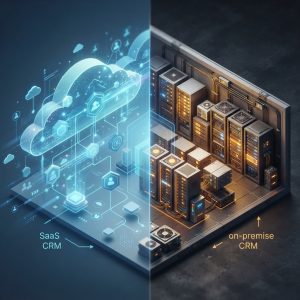
SaaS CRM vs On-Premise CRM: Which Solution Is Right for Your Business?
Choosing the right customer relationship management system is one of the most important decisions you’ll make for your business. But before you can evaluate specific platforms, you need to understand the fundamental differences between SaaS (cloud-based) CRM and on-premise CRM solutions.
Both approaches have distinct advantages and drawbacks. Your choice will impact everything from your budget and IT resources to security protocols and scalability. Let’s break down what sets them apart and help you determine which model aligns with your business needs.
Understanding SaaS CRM: Cloud-Based Solutions

What Is SaaS CRM?
SaaS stands for Software-as-a-Service. A SaaS CRM operates entirely in the cloud, meaning the software and your data live on the vendor’s servers rather than your own. You access it through a web browser or mobile app from anywhere with an internet connection.
Leader CRM, for example, is a cloud-based SaaS solution designed specifically for small and medium-sized businesses. Users log in through a browser, and all data syncs automatically across devices without any local installation required.
Key Features of SaaS CRM
Accessibility and Flexibility
One of the biggest advantages of SaaS CRM is accessibility. Your team can access customer data from anywhere—the office, home, or while traveling. This is especially valuable for remote teams or businesses with multiple locations. As long as there’s an internet connection, your sales, customer service, and marketing teams stay connected.
Automatic Updates and Maintenance
With SaaS solutions, the vendor handles all software updates, security patches, and system maintenance. You never have to worry about upgrading your infrastructure or managing complex IT operations. New features roll out automatically, ensuring you’re always using the latest version without any effort on your part.
Lower Initial Investment
SaaS CRM typically requires minimal upfront costs. You pay a monthly or annual subscription fee, usually on a per-user basis. There’s no expensive hardware to purchase, no IT team needed to manage servers, and no long-term capital expenditure. This makes it ideal for SMBs working with tight budgets.
Scalability on Demand
Adding new users is straightforward. As your business grows, you simply add more seats to your subscription. There’s no need to invest in additional infrastructure or upgrade your servers.
Considerations with SaaS CRM
Internet Dependency
Your CRM’s availability depends on a stable internet connection. If your connectivity drops, you may lose access to critical customer data. Most modern SaaS providers offer offline capabilities or cached data, but this is a real consideration for businesses in areas with unreliable internet.
Data Sovereignty and Control
Your customer data lives on external servers. While reputable providers like Leader CRM implement enterprise-grade security, some businesses have compliance requirements (HIPAA, GDPR) that demand more control over data location and infrastructure.
Subscription Costs Over Time
While the upfront cost is low, subscription fees add up over years. A business paying $50/month per user for 10 users would spend $6,000 annually—and that doesn’t include additional modules or premium support.
Understanding On-Premise CRM: Traditional Installed Solutions
What Is On-Premise CRM?
On-premise (sometimes spelled “on-premises”) CRM is software installed directly on your company’s servers and computers. You own the license and maintain complete control over the infrastructure, data, and operations. Everything runs from your office, behind your firewall.
Key Features of On-Premise CRM
Complete Data Control
Your customer data never leaves your servers. This appeals to industries with strict compliance requirements or organizations handling highly sensitive information. You control exactly where data is stored, who accesses it, and how it’s backed up.
No Ongoing Subscription Fees
You purchase a license outright. After the initial investment, there are no monthly subscription costs (though maintenance and support fees may apply). Over a 10-year period, this can be significantly cheaper than SaaS for large organizations.
Customization and Integration
On-premise solutions often offer deeper customization options. Your IT team can modify the code, integrate with legacy systems, and tailor workflows to match your exact business processes.
Offline Access
Since the software runs locally, you have full access even without internet connectivity. This is critical for businesses where downtime isn’t acceptable.
Considerations with On-Premise CRM
High Initial and Hidden Costs
On-premise solutions require significant upfront investment: software licenses, server hardware, installation, configuration, and staff training. For SMBs, this can easily run $20,000–$100,000+ before you’re even operational. Add ongoing maintenance, IT salaries, and upgrade costs, and the total cost of ownership becomes substantial.
IT Resource Requirements
You need an in-house IT team to manage installation, updates, security patches, backups, disaster recovery, and troubleshooting. SMBs often lack this expertise and infrastructure, making on-premise solutions impractical.
Slower Implementation
Deployment takes weeks or months. Your IT team must configure servers, migrate data, customize the system, and train users. SaaS solutions can be up and running in days.
Scalability Challenges
Adding users or expanding functionality requires additional hardware investment and IT resources. Growth becomes costly and time-consuming.
Head-to-Head Comparison
| Factor | SaaS CRM | On-Premise CRM |
|——–|———-|—————-|
| Initial Cost | Low ($0–$1,000) | High ($20,000+) |
| Monthly Cost | $20–$150/user | Minimal (support only) |
| Implementation Time | Days to weeks | Weeks to months |
| IT Resources | Minimal | Significant |
| Data Control | Shared responsibility | Full control |
| Accessibility | Remote access anywhere | On-site/VPN required |
| Updates | Automatic | Manual/planned |
| Customization | Limited-to-moderate | Deep |
| Scalability | Easy | Complex and costly |
| Security | Vendor-managed | Your responsibility |
Which Solution Is Right for Your SMB?
Choose SaaS CRM If Your Business:
- Has a limited budget for IT infrastructure
- Needs rapid deployment and quick time-to-value
- Operates with remote or distributed teams
- Wants minimal IT overhead and support
- Prioritizes ease of use and frequent updates
- Requires flexibility to scale up or down quickly
SaaS solutions like Leader CRM are purpose-built for SMBs facing these realities. They let you implement a professional CRM without breaking the bank.
Choose On-Premise CRM If Your Business:
- Has strict data residency or compliance requirements
- Has a dedicated IT team with the expertise to manage complex systems
- Operates in environments with unreliable internet connectivity
- Has unique, complex customization needs that standard solutions can’t meet
- Plans to use the system for 10+ years and wants to minimize per-user costs
- Works in a highly regulated industry requiring complete data control
The Verdict: SaaS CRM for Most SMBs
For the majority of small and medium-sized businesses, SaaS CRM is the smarter choice. The combination of low upfront costs, rapid deployment, automatic updates, and minimal IT requirements makes it ideal for companies that want to focus on growth rather than infrastructure management.
Leader CRM exemplifies what modern SaaS CRM solutions offer: intuitive interface, affordable pricing, robust features, and the flexibility to scale as your business grows. You get enterprise-grade functionality without enterprise-grade complexity or cost.
On-premise CRM makes sense only if you have specific regulatory requirements or exceptional customization needs that justify the significant investment and IT overhead.
Make the Right Choice for Your Business
The SaaS vs. on-premise decision ultimately depends on your specific situation. But for most SMBs, the cloud-based approach delivers faster implementation, lower risk, and better value.
Ready to explore a SaaS CRM solution tailored for small and medium businesses? Visit [Leader CRM](https://leader.net) to see how our platform can streamline your customer relationships without the complexity and cost of traditional on-premise systems.
