

Leader: A Strong Salesforce Competitor for SMBs
Understanding the SMB CRM Landscape
Small and medium-sized businesses (SMBs) have unique needs when it comes to customer relationship management (CRM). They often operate with tighter budgets, smaller teams, and a need for tools that are straightforward to implement and use without a dedicated IT department. The CRM market is crowded, with many solutions designed for enterprise-level operations. Salesforce, while a dominant player, can sometimes feel overwhelming and overly complex for smaller businesses. This is where alternatives like Leader come into play, aiming to fill the gap with solutions tailored specifically for the SMB segment.
Key Differentiators of Leader
Leader distinguishes itself by focusing on the practical realities of SMB operations. Unlike some larger competitors that offer a vast array of features, many of which may go unused by smaller companies, Leader prioritizes core functionalities that directly impact sales, service, and customer engagement.
- Simplicity: A clean, intuitive interface means less time spent on training and more time on selling.
- Affordability: Pricing structures are designed to be accessible for businesses with limited budgets.
- SMB Focus: Features and support are geared towards the specific challenges SMBs face.
Leader’s Value Proposition for Small Businesses
For small businesses, the value proposition of a CRM like Leader is clear: it’s about providing the tools needed to grow without unnecessary complexity or cost. It’s about making CRM work for the business, not the other way around.
Leader aims to be a partner in growth for SMBs, offering a CRM solution that is both powerful enough to manage customer relationships effectively and simple enough to adopt quickly. The goal is to remove barriers to CRM adoption and provide tangible benefits from day one.
Leader offers a practical approach to CRM for businesses that need results without the enterprise-level overhead.
| منطقه ویژه | رهبر | Salesforce (General Perception for SMBs) |
|---|---|---|
| سهولت استفاده | High | Moderate to Low |
| قیمت گذاری | SMB-friendly, transparent | Can be complex and costly |
| Implementation | Quicker, less resource-intensive | Often requires significant setup |
| Core Functionality | Focused on essential SMB needs | Broad, sometimes overwhelming |
Feature Set Comparison: Leader vs. Salesforce
When you’re running a small or medium business, the tools you use can make or break your day-to-day operations. CRM software is a big one, and two names that often come up are Leader and Salesforce. They both aim to help you manage customer relationships, but they go about it differently, especially when you look at what they offer for SMBs.
Core CRM Functionality
At its heart, a CRM is about keeping track of your contacts, deals, and interactions. Leader focuses on making this straightforward. You get contact management, deal tracking, and activity logging that’s easy to get to. Salesforce, on the other hand, has a very broad set of features. While powerful, this can sometimes mean more complexity for a smaller team that just needs the basics done well.
Leader’s approach prioritizes simplicity and efficiency for core CRM tasks.
| ویژگی | رهبر | Salesforce (Essentials/Professional) |
|---|---|---|
| مدیریت تماس | Robust, easy to use | Comprehensive |
| Deal Tracking | Visual pipeline, customizable stages | Customizable pipeline |
| Activity Logging | Simple, integrated with records | Detailed, can be complex |
| Basic Reporting | Pre-built reports, customizable | Standard reports, advanced options |
Sales Automation Capabilities
Sales automation is where you can really speed things up. Leader offers features like automated follow-up reminders and task creation based on deal stages. This helps your sales team stay on top of leads without getting bogged down in manual tasks. Salesforce also has sales automation, often through workflows and process builder. These can be very powerful but might require more setup time and technical know-how, which isn’t always available in an SMB.
- Automated lead assignment
- Task creation based on triggers
- Email templates for quick outreach
For SMBs, the sweet spot for sales automation is features that work out-of-the-box or require minimal configuration. Overly complex automation can become a burden rather than a help.
Customer Service Tools
Keeping customers happy is key. Leader includes tools for managing customer inquiries and support tickets. The focus is on providing a clear view of customer issues and ensuring they get resolved. Salesforce offers more extensive customer service solutions, often through its Service Cloud. These can include case management, knowledge bases, and omni-channel support. While these advanced features are great, they might be overkill and add unnecessary cost for many small businesses.
مزایا و معایب
رهبر:
- مزایا: Simple to use, quick setup, focused on SMB needs, affordable.
- معایب: May lack some of the very advanced features found in enterprise-level systems.
نیروی فروش:
- مزایا: Extremely powerful and customizable, vast ecosystem of apps, scalable to enterprise levels.
- معایب: Can be complex and overwhelming for SMBs, higher cost, steeper learning curve.
فراخوان برای اقدام:
Ready to see how Leader’s straightforward approach can benefit your business? Explore our features or request a demo today to learn more.
Pricing and Affordability as a Salesforce Competitor
When you’re running a small or medium business, every dollar counts. You need tools that help you grow, not drain your bank account. That’s where Leader really shines when you look at it next to Salesforce.
Transparent Pricing Models
Salesforce is known for its complex pricing. It often feels like you need a finance degree to figure out what you’ll actually pay. They have a lot of different editions, add-ons, and per-user fees that can add up quickly. It’s not always clear what’s included and what’s extra until you’re deep into the contract.
Leader, on the other hand, keeps things simple. They offer straightforward pricing plans that are easy to understand. You know what you’re getting for your money without any hidden surprises. This clarity is a big deal for SMBs who need predictable expenses.
Total Cost of Ownership for SMBs
It’s not just the sticker price that matters; it’s the total cost of ownership. With Salesforce, the initial subscription cost is just the beginning. You might need to pay extra for features that Leader includes as standard. Think about implementation costs, training, and potential customization fees. These can significantly increase the overall expense, making it a much bigger investment than it first appears.
Leader’s approach is different. By bundling key features that SMBs actually use into their plans, they help keep the total cost down. The focus is on providing a complete solution from the start, reducing the need for costly add-ons or extensive custom development. This makes it a more accessible option for businesses with tighter budgets.
Return on Investment Potential
Ultimately, you want your CRM to pay for itself and then some. Leader’s affordable and transparent pricing means you can start seeing a return on your investment much faster. When you’re not spending a fortune on the software itself, the gains you make from improved sales, better customer service, and increased efficiency have a more immediate and noticeable impact on your bottom line.
Leader’s predictable pricing structure allows SMBs to budget effectively and focus on growth, rather than getting bogged down in complex software expenses.
| Feature Category | رهبر | سیلزفورس |
|---|---|---|
| Pricing Transparency | High | Low |
| Core Feature Bundling | Standard | Often Add-ons |
| SMB Budget Friendliness | High | Moderate to Low |
| Implementation Cost | Lower | Higher |
Pros of Leader’s Pricing:
- Clear, easy-to-understand plans.
- Lower overall cost of ownership for SMBs.
- Predictable monthly or annual expenses.
- Key features included without extra fees.
Cons of Leader’s Pricing:
- May have fewer advanced enterprise-level features compared to the highest Salesforce tiers (though often not needed by SMBs).
For small and medium businesses, the financial aspect of choosing a CRM is often a deciding factor. Leader’s commitment to straightforward, affordable pricing directly addresses this need, making powerful CRM technology accessible without breaking the bank. This focus on value allows businesses to invest more in other areas of growth.
Ready to see how Leader can fit your budget and boost your business? Explore Leader’s Plans today and find the right fit for your company.
Ease of Use and Implementation
User Interface and Navigation
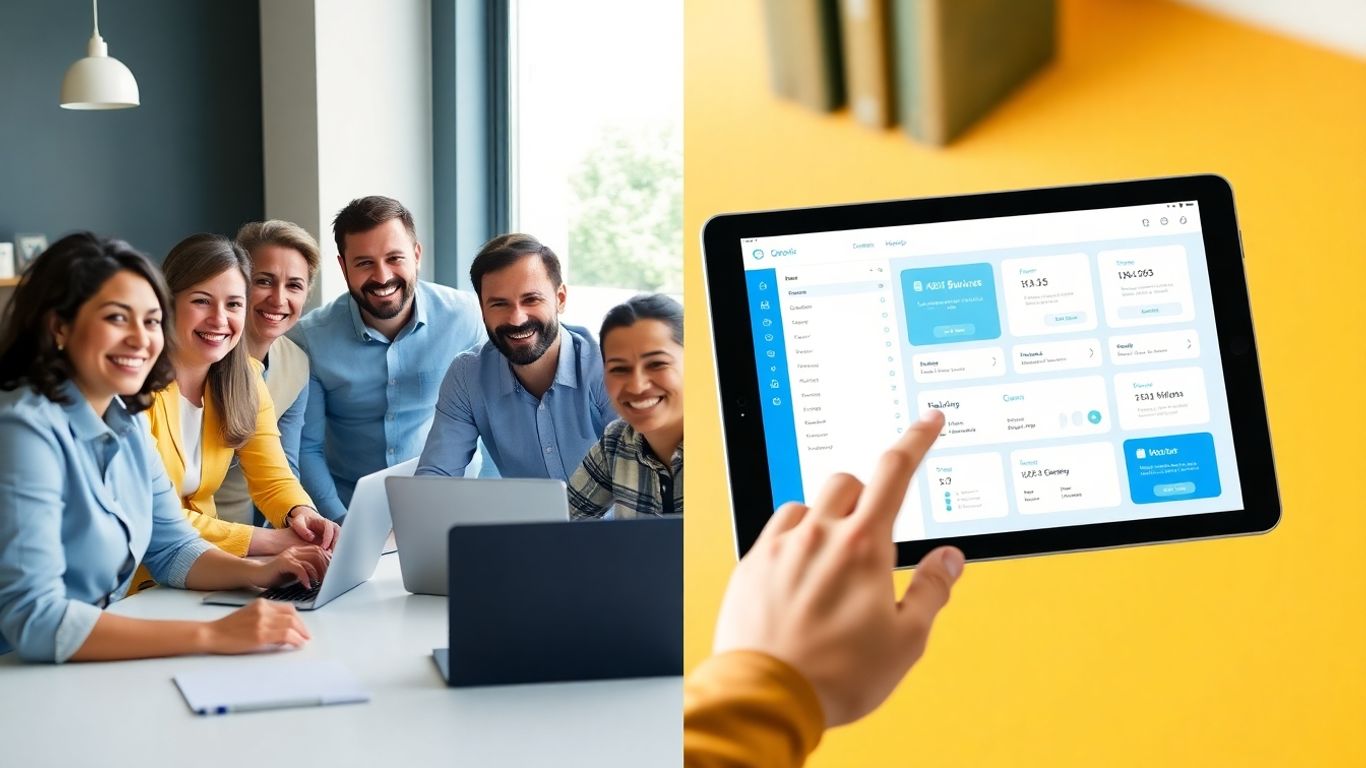
When you’re running a small business, the last thing you need is software that feels like a puzzle. Leader really gets this. Their interface is designed to be straightforward. You won’t spend hours trying to find where to log a call or update a contact. Everything is laid out logically, making it easy to pick up and use right away. Salesforce, on the other hand, can feel a bit overwhelming for new users, especially with its vast array of features and customization options that might not be necessary for a smaller operation.
Onboarding and Training Resources
Getting your team up to speed is a big part of adopting any new tool. Leader provides clear guides and tutorials that are easy to follow. They focus on getting you productive quickly, without a steep learning curve. This means less downtime and more focus on selling. While Salesforce has extensive training materials, they can sometimes be geared towards more complex enterprise setups, which might be overkill for an SMB.
Integration Capabilities
Your CRM shouldn’t be an island. Leader connects with other tools you likely already use, like email and accounting software. This helps keep your data in sync and makes your workflow smoother. It’s about making your existing tools work better together, not forcing you to change everything. Salesforce also offers many integrations, but setting them up can sometimes be more involved and costly for smaller businesses.
| ویژگی | رهبر | سیلزفورس |
|---|---|---|
| User Interface | Clean, intuitive, easy to learn | Powerful, highly customizable, can be complex |
| Onboarding | Streamlined, focused on quick adoption | Extensive, can be time-consuming for SMBs |
| Integrations | Key business tools, straightforward setup | Wide range, setup can be more complex/costly |
Leader’s focus on simplicity means your team can start using it effectively from day one.
For small businesses, the time spent learning and implementing new software directly impacts productivity and profitability. A system that is intuitive and integrates well with existing tools reduces this burden significantly.
Pros of Leader:
- Simple and intuitive user interface.
- Quick onboarding process.
- Easy integration with common business tools.
Cons of Leader:
- May have fewer advanced customization options compared to enterprise-level solutions.
Pros of Salesforce:
- Extremely powerful and customizable.
- Vast ecosystem of apps and integrations.
Cons of Salesforce:
- Can be complex and overwhelming for SMBs.
- Steeper learning curve and longer implementation time.
فرهنگ و هنر: Ready to see how easy CRM can be? Try Leader today and experience a system built for your business’s growth.
Scalability and Future Growth

As your small business grows, your needs change. You need a CRM that can keep up without breaking the bank or becoming overly complicated. This is where Leader really shines for SMBs.
Adapting to Evolving Business Needs
Leader is built with flexibility in mind. It’s not a one-size-fits-all solution that you’ll outgrow in a year. The platform allows you to add users and features as your team expands and your sales processes become more complex. Unlike some enterprise-level CRMs that can be rigid, Leader adapts. You can start with the basics and layer on more advanced functionalities like marketing automation or advanced analytics when you’re ready. This means you’re not paying for features you don’t need right now, but they’re there when you do.
Support for Growing Teams
Adding new team members to a CRM can be a headache. Leader makes this process straightforward. User management is simple, and the intuitive interface means new hires can get up to speed quickly. This reduces the time and resources spent on training, allowing your growing team to focus on selling.
Leader’s ability to scale user licenses and features makes it a practical choice for businesses anticipating growth.
Long-Term Viability
Choosing a CRM is a long-term decision. You want a partner that will grow with you. Leader’s focus on the SMB market means they understand the unique challenges and opportunities that come with scaling a smaller business. Their development roadmap is typically geared towards providing practical, affordable solutions for this segment, rather than chasing the latest enterprise trends that might not be relevant or cost-effective for you.
Leader vs. Salesforce: Scalability Focus
| ویژگی | رهبر | سیلزفورس |
|---|---|---|
| SMB Focus | Designed specifically for SMB growth | Enterprise-focused, can be complex for SMBs |
| User Addition | Simple, cost-effective | Can become expensive, complex licensing |
| Feature Growth | Modular, add as needed | Extensive, but can lead to feature bloat |
| Adaptability | Flexible, adjusts to changing needs | Powerful, but requires significant customization |
While Salesforce offers immense power and customization, its complexity and cost can be a barrier for many SMBs looking to scale. Leader provides a more accessible path to growth, allowing businesses to expand their CRM capabilities without overwhelming their budget or IT resources.
Pros of Leader for Scalability:
- Easy to add users as your team grows.
- Modular features allow you to scale functionality without overpaying.
- Designed with SMB growth patterns in mind.
Cons of Leader for Scalability:
- May not have the sheer depth of niche enterprise features found in Salesforce (though often not needed by SMBs).
Ready to see how Leader can grow with your business? Explore Leader’s plans and find the right fit for your future.
Why Leader Stands Out for Small and Medium Businesses
Focus on SMB-Specific Challenges
Leader really gets what it’s like to run a small or medium business. They built their platform with the day-to-day struggles of SMBs in mind, not just the big enterprise stuff. This means you’re not paying for features you’ll never use, and the tools you do get are actually helpful for growing your business. They focus on making sales, service, and marketing work together smoothly, which is often a big headache for smaller teams.
Agility and Responsiveness
One thing that really sets Leader apart is how adaptable it is. Businesses change, especially smaller ones, and you need a CRM that can keep up without a massive overhaul. Leader is designed to be flexible. You can tweak workflows, add fields, and adjust settings without needing a team of developers. This agility means you can pivot quickly when market conditions shift or your business strategy evolves. It’s not a rigid system that forces you into its mold; it works with you.
Dedicated Support and Partnership
For SMBs, good support isn’t just a nice-to-have, it’s a necessity. Leader provides support that feels like a partnership. They offer resources and help that are tailored to smaller businesses, understanding that you might not have a dedicated IT department. This hands-on approach means you can get the help you need when you need it, making sure you’re getting the most out of the CRM and aren’t left struggling with a problem.
| منطقه ویژه | Leader Advantage for SMBs |
|---|---|
| Customization | Easy to adapt without technical expertise. |
| User Experience | Designed for quick adoption by teams of all sizes. |
| Support Model | Focused on practical, timely assistance for growing businesses. |
Many CRMs are built with large corporations as the primary target. This often results in complex interfaces, overwhelming feature sets, and pricing structures that are out of reach for smaller operations. Leader takes a different approach, prioritizing the core needs and budget constraints of SMBs.
مزایا:
- Tailored specifically for the needs of small and medium businesses.
- Flexible and adaptable to changing business requirements.
- Support that understands the unique challenges of SMBs.
معایب:
- May not have the sheer breadth of niche features found in enterprise-level solutions.
- As a growing company, some advanced integrations might still be in development.
فراخوان برای اقدام:
Ready to see how a CRM built for your business can make a difference? Explore Leader’s features and request a personalized demo today to understand its specific benefits for your SMB.
For small and medium businesses, finding the right support is key to growth. Leader understands the unique challenges you face and offers tailored solutions to help you succeed. We’re here to help your business thrive. Ready to see how we can make a difference? Visit our website today to learn more!
سوالات متداول
What makes Leader a good choice for small businesses compared to Salesforce?
Leader is designed with small and medium businesses (SMBs) in mind. It offers a straightforward way to manage customer relationships without the complexity that can sometimes come with bigger platforms like Salesforce. Think of it as a tool built specifically for businesses that are growing and need something easy to use and understand.
Is Leader easier to learn and use than Salesforce for someone new to CRM?
Yes, generally. Leader focuses on making things simple. Its layout is usually easier to navigate, and getting started doesn’t require as much technical know-how. Salesforce can be very powerful, but it often has a steeper learning curve, which might be overwhelming for a small team just starting out.
How does Leader’s pricing compare to Salesforce for a small business budget?
Leader often provides more budget-friendly options for smaller companies. Their pricing is usually clearer and more direct, making it easier to see what you’re paying for. Salesforce can sometimes have hidden costs or require more expensive packages to get the features a small business needs.
Can Leader grow with my business like Salesforce can?
Absolutely. While Leader is simple to start with, it’s built to scale. As your business gets bigger and your needs change, Leader can adapt. It’s designed to support your growth without you having to switch to a completely different system.
What kind of customer support does Leader offer for small businesses?
Leader often emphasizes dedicated support for its users, especially SMBs. This means you might get more personalized help and guidance. While Salesforce has support, it’s a massive company, and getting that direct, hands-on assistance can sometimes be more challenging for smaller clients.
Does Leader offer the same sales and customer service tools as Salesforce?
Leader provides the essential tools that most SMBs need for sales and customer service. While Salesforce might have a wider array of advanced, niche features, Leader focuses on delivering the core functionalities that are most important for day-to-day operations and growth in a smaller business setting, often in a more accessible way.
